
Appearance
Diagnostic Imaging customization
Three screens behind the Imaging examination — the Diagnostic Imaging Report, or DIR.
DIR Views
The imaging views that can be recorded — AP, lateral, oblique, flexion and extension, and so on. Each view has a Title (up to 35 characters, the name shown in the view list), an Active flag, and the Regions it applies to.
By default a new view is available to all regions. Untick that and tick specific regions to offer the view only when one of those regions is selected on the DIR. Show Inactive reveals retired views; reactivate one rather than creating a duplicate. Clone copies a view.
DIR Findings
The findings the provider can record against a film, and the verbiage that turns them into a report. The screen has three tabs.
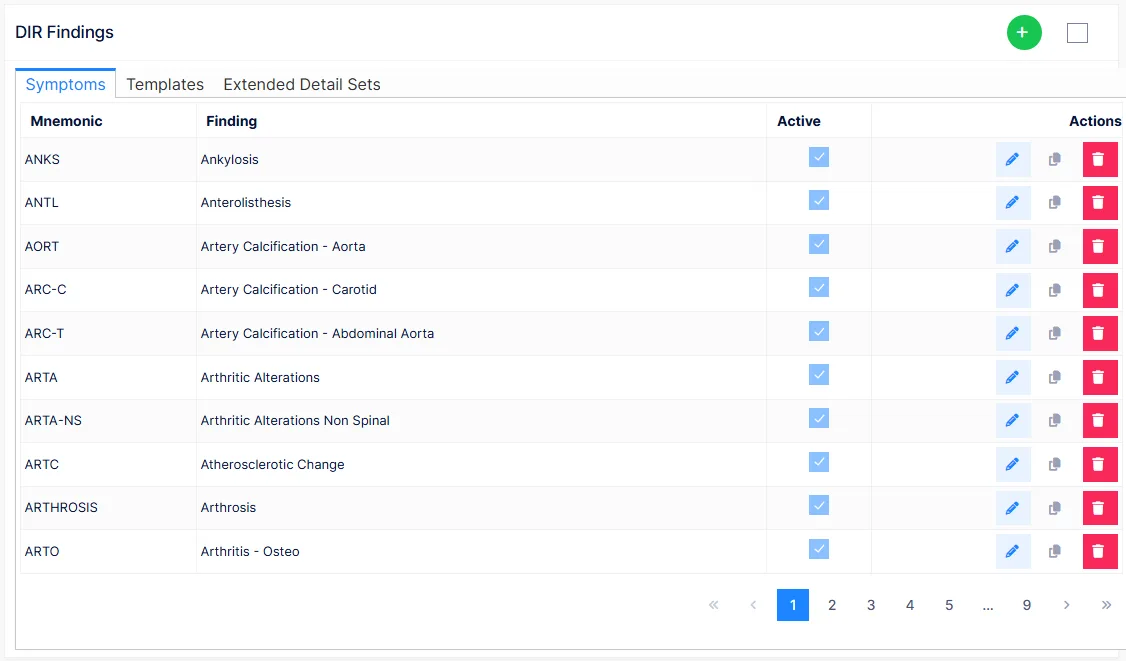
Symptoms
The list of findings — Mnemonic, Finding, Active — with edit, clone and delete actions and Show Inactive. Each finding has:
| Field | Notes |
|---|---|
| Mnemonic | Up to 10 characters, unique, permanent once saved. Shown only here |
| Title | The finding's name as it should read in the report |
| Active | Whether it is offered on the DIR |
| Verbiage Type | How the finding behaves when recorded — see below |
| Extended Detail | An optional detail set offering extra descriptors for this finding |
| Regions | The body regions the finding applies to, or all of them |
Verbiage Type has four values:
| Type | Behaviour |
|---|---|
| Range | Spinal. Adjacent vertebrae selected together are written as a range: "from C3 to T5" |
| Individual | Spinal. Each selected vertebra is written out: "C3, C4, C5, C6, C7, T1…" |
| Left/Right Only | For findings that occur on one side only |
| Non-Spinal | Findings of the extremities and organs |
Templates
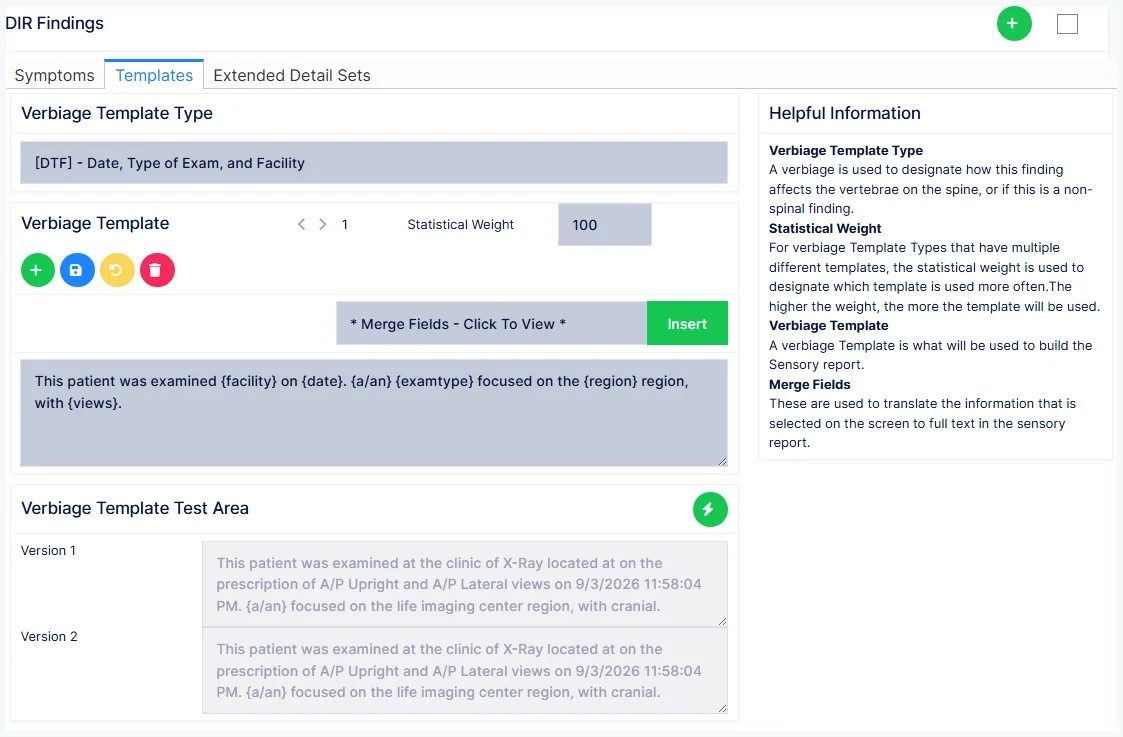
The verbiage templates, by Verbiage Template Type. Each type is one part of the report — the opening with date, exam type and facility; findings and locations, spinal and non-spinal; anomalies; and the measurement sections such as George's line, physiological stress lines and the cervical curve. Select a type, step through its iterations, and edit, add, weight or delete them.
The Merge Fields list offers {date}, {examtype}, {facility}, {facilityaddress}, {region}, {views} and {rxdocter}, plus grammar fields — {thisthese}, {a/an}, {isare}, {waswere}, {s/s}, {yies}, {vowelnext} — that make one template read correctly whether a finding is singular or plural. The Test Area shows the template with sample data merged in.
Extended Detail Sets
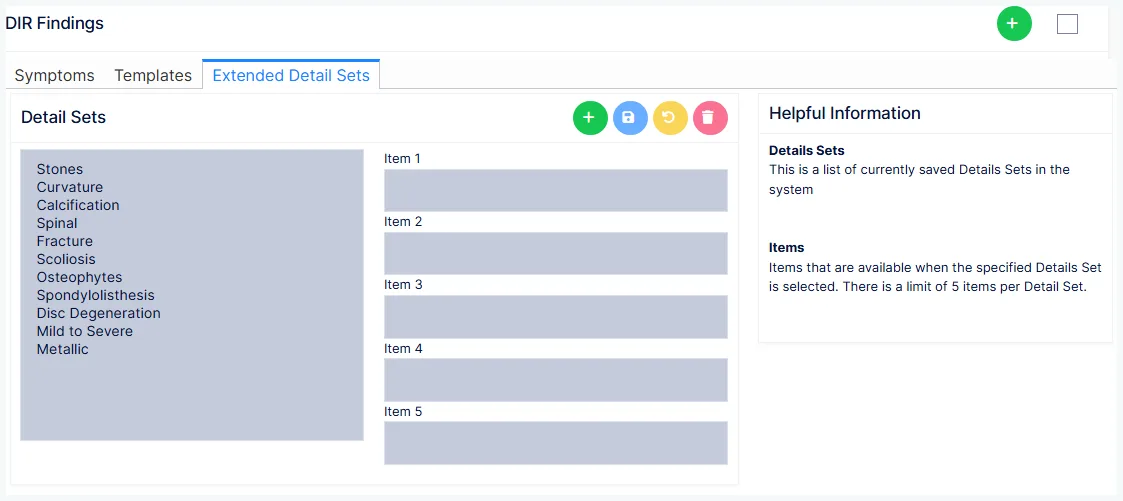
Named sets of up to five descriptors that a finding can offer when it is recorded — Calcification, Curvature, Fracture, Scoliosis, Osteophytes, Disc Degeneration, Mild to Severe and the others shipped. Select a set to edit its items; create a new set with a name, then fill in its items and save. Attach a set to a finding on the Symptoms tab.
DIR Regions
The regions of the body an imaging study can cover, singly or in combination — cervical spine, lumbopelvic, and so on. Each has a Region name (up to 50 characters) and an Active flag, with edit, clone and delete. Regions drive which views and findings are offered on the DIR.