
Appearance
Inventory reports
Two reports for practices that sell products — supports, pillows, supplements. They read the product records in the Procedure catalog: a procedure whose category is a product type carries a quantity on hand, a minimum quantity, a reorder flag and the last order details, and every product charge on a transaction reduces the quantity on hand.
Neither report has a date range or provider filter.
Product Inventory List
Every product in the catalog, active or not:
| Column | Shows |
|---|---|
| Id, Description | The product |
| Retail Price | The fee on the procedure |
| Tax | T when the product is taxable |
| Qty on hand | Current stock |
| Min Qty Req. | The reorder threshold |
| Date, Qty, Cost | The last order: when, how many, and the unit price paid |
| Notes | The notes on the procedure |
| Status | Active or Inactive |
This is the stock take. If the quantity on hand does not match the shelf, correct it on the procedure record.
Low Inventory/Reorder List
The shopping list: active products whose quantity on hand is at or below the minimum, plus any product with Forced Reorder ticked regardless of its stock level.
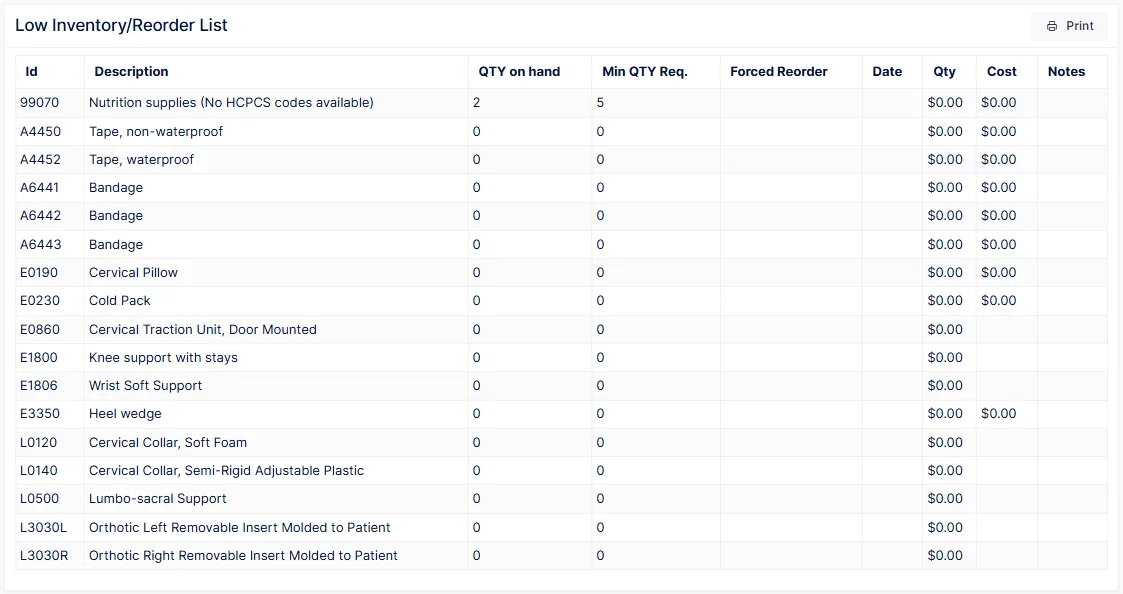
| Column | Shows |
|---|---|
| Id, Description | The product |
| QTY on hand, Min QTY Req. | Where it stands against the threshold |
| Forced Reorder | Yes when the product is flagged to reorder |
| Date, Qty, Cost | The last order, as a guide to what to order this time |
| Notes | Supplier details, if you keep them in the notes |
Run it weekly
Set a minimum on every product you would rather not run out of, and run this report on the same day each week to place orders. A product with no minimum only appears here when you force it.