
Appearance
Range of Motion
The patient's measured range of motion, compared against normal values. This is the R in Medicare's PART exam, so where you bill on PART documentation rather than X-ray, this screen is carrying real weight.
Recording an exam
Click New. The date defaults to today. Choose the ROM table you are measuring — cervical, lumbar and so on — enter the measurements, and save.
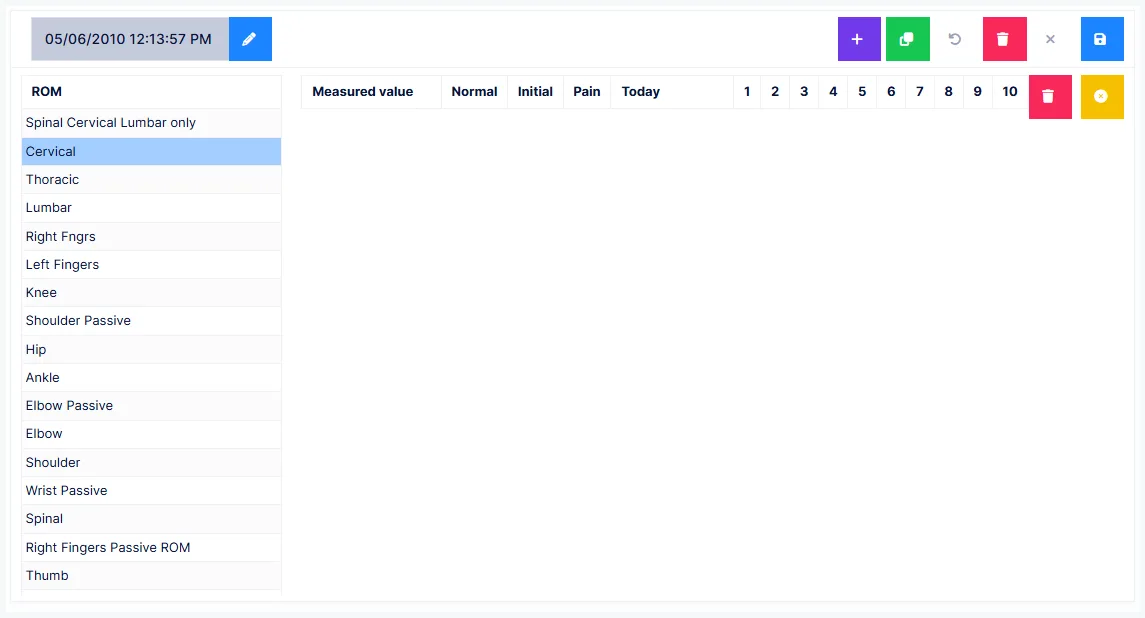
The exam only joins today's note if it is dated today
A ROM exam appears in today's SOAP note only when its date is today's date. Change the date to yesterday — because that is when you performed it — and it will not be in today's note.
It is still saved as a report. It just isn't in that note, and if you are billing PART for that visit, that matters.
The date is locked by default. Unlock it to edit, and lock it again to commit the change.
Following up on a previous exam
Previous ROM exams are listed by date. Select one, and a blue dot appears beside each table that was measured on that date.
Open a blue-dotted table and it opens pre-filled with that date's measurements — so you only change what has actually changed.
Pre-filled values save as this exam's findings
Anything you don't overwrite is recorded as measured today. That is the point — it makes a follow-up quick — but it does mean scanning the whole table before saving, not just the values you came to change.
An initial exam, or a table with no blue dot, opens empty.
Pain with movement
Each measurement carries three pain checkboxes:
1 Mild · 2 Moderate · 3 Severe
Click a box a second time to clear it. No box ticked means no pain finding for that movement.
Normal values
The normals come from the AMA Guides
ChiroPad's normal values follow the American Medical Association's Guides to the Evaluation of Permanent Impairment.
Your practice can change them.
If you change a normal value, record where it came from
You may have to justify a normal value to an insurance auditor, or in litigation. A value that differs from the AMA Guides with no documented source behind it is difficult to defend.
If you change one, use a text that can be cited as the reference, and make sure the source is documented and known to the provider.
Ordering in the note
The order ROM tables appear in — both on this screen and in generated notes and narrative reports — is set in customization, not alphabetically. Arrange them the way you want them to read.
Getting the exam into the note
As with the other examination screens, the ROM section needs to be forced in on the Documents screen — or at least not suppressed — for it to reach the note. See SOAP.