
Appearance
Objective
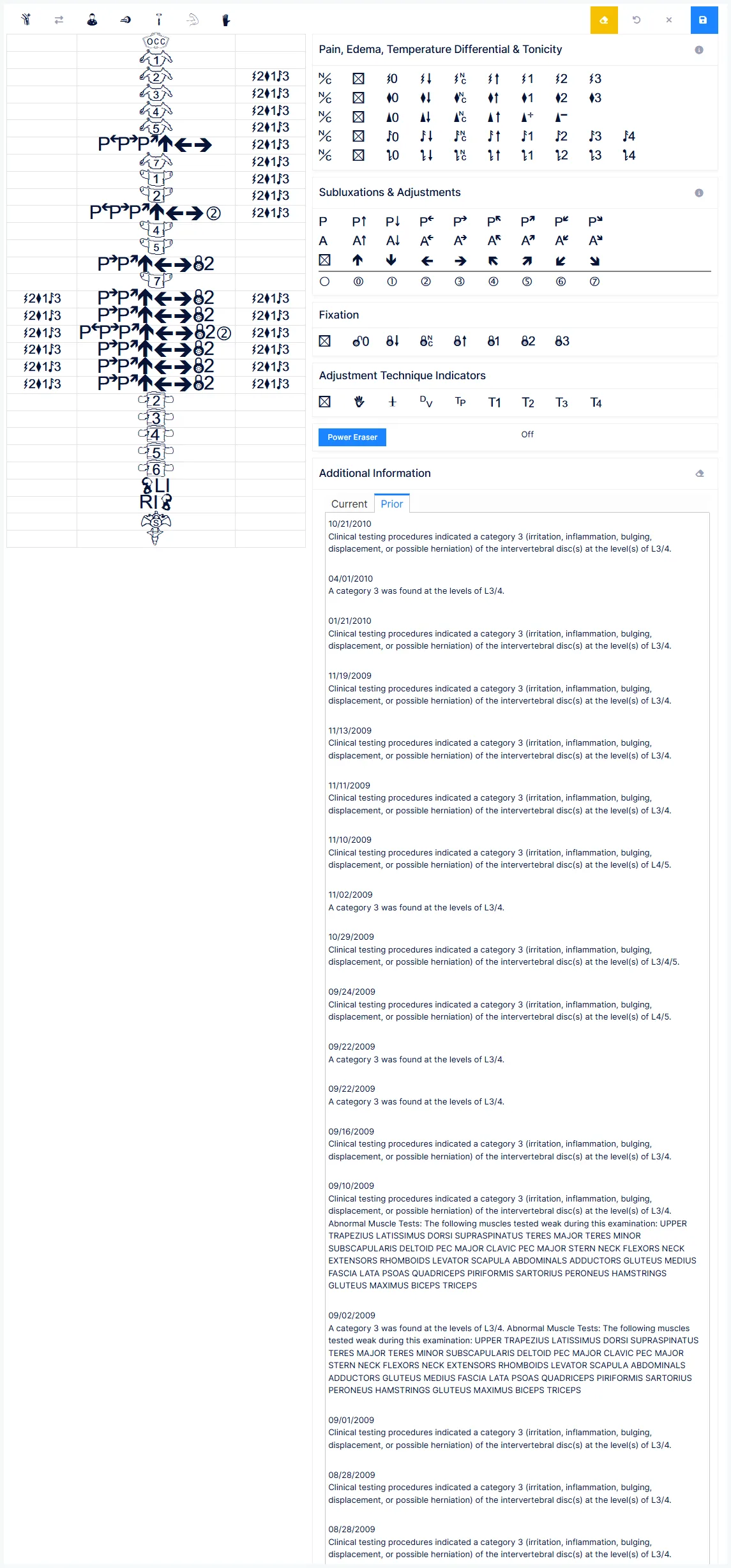
What you find on examination — recorded against a spine diagram using a symbol palette.
These are your findings, not the patient's complaints
Everything on this screen documents the provider's clinical observations. What the patient reports belongs on Subjective. Auditors read the two differently, and conflating them weakens both.
How entry works
The same two steps for every finding type:
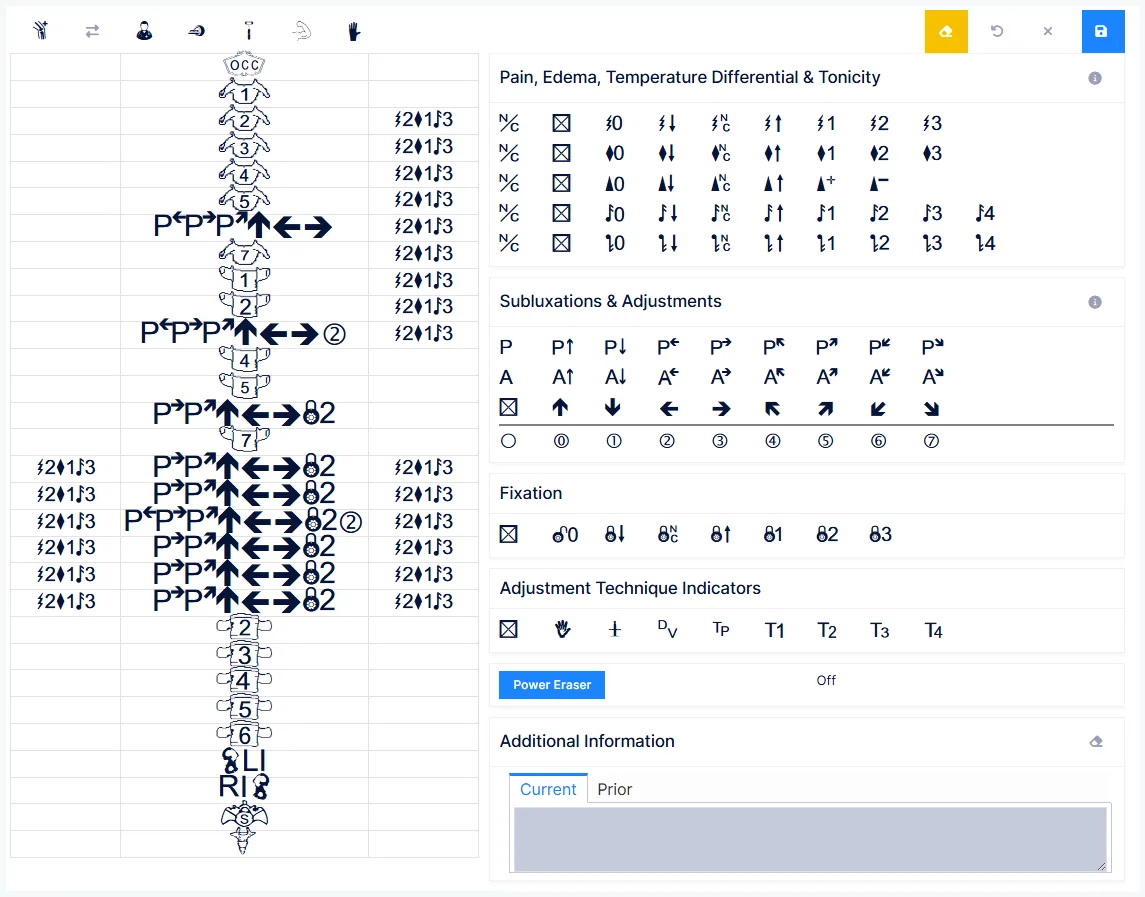
- Click the symbol you want, so it is highlighted
- Click the spinal level or levels where you found it
Where you click sets the side
Click the centre spine for a bilateral finding. Click the left or right column for a one-sided one. There is no separate laterality control — the click target is the laterality.
Findings carry forward to the next visit, so each visit starts from what you recorded last time and you document the change rather than re-entering everything.
The finding groups
Pain, Edema, Temperature and Tonicity
| Finding | Records |
|---|---|
| Pain | Tenderness on palpation |
| Edema | Swelling |
| Temperature | Temperature differential |
| Hypertonicity | Increased muscle tone |
| Hypotonicity | Decreased muscle tone |
Two of these are PART exam findings
Pain and Tonicity are two of the four elements of the Medicare PART exam. If you document the need for care by examination rather than by X-ray, these are part of what supports the claim.
Subluxations and adjustments
Directional listings — posterior, anterior, superior, inferior, right, left, and their combinations — giving 26 possible listings.
The listings are deliberately generic
ChiroPad does not impose a listing system. Each provider defines what a listing means within the technique they use. Some practices use all 26; some use only posterior and anterior.
Note that generated note text does not specify spinous process, transverse process or vertebral body — the listing is recorded at the level, not the landmark.
Adjustment results record what happened when you adjusted: no movement, small, moderate or substantial movement, and grades noting improvement. One result per segment — selecting one clears any other.
Fixation
Recorded as present or absent, graded mild, moderate or severe, or qualified as reduced, no change or increased since last visit.
Subluxation or fixation covers the "A" in PART
The Asymmetry element of the Medicare PART exam is supported by your subluxation listings or your fixation findings. One or the other needs to be there.
Adjustment technique indicators
Which technique you used — activator, diversified, Thompson, and practice-defined slots.
These deliberately never reach the note
Technique indicators are for in-office reference only. They generate no text in SOAP notes or narratives, specifically to avoid raising questions with claims examiners and auditors. That is a design decision, not an omission.
Grading a finding
Each finding line carries the same set of qualifiers, meaning the same thing everywhere:
| Qualifier | Meaning |
|---|---|
| Not present | The finding is absent |
| Mild / Moderate / Severe | Degree |
| Reduced | Improved since last visit |
| No change | Unchanged |
| Increased | Worse |
| Spasm / flaccid | Tonicity only |
Removing findings
Three different tools that are easy to confuse:
| Tool | Scope | Effect |
|---|---|---|
The * qualifier | One finding | Removes that finding from the spine, or suppresses it |
| Power Eraser | The palette only | Clears your current symbol selection. Spinal entries are untouched |
| Sweeper | Everything | Clears all findings and starts fresh |
Use Power Eraser between levels
Different levels usually have different combinations. The documented habit is: place your findings on a level, hit Power Eraser, choose the next combination, place it on the next level. Skipping it is the usual cause of a finding landing somewhere you didn't intend.
Use * as the patient improves
The * is how a finding leaves the record as it resolves — rather than leaving it carried forward visit after visit when it is no longer there.
Reach for the Sweeper when there is a genuine discontinuity — a new injury, or a patient returning after years away — where editing carried-forward findings makes less sense than starting over.
Saving
There is no auto-save
Save the spinal findings explicitly once entered.
The examination screens
The Exam menu holds the detailed examination screens — Ortho/Neuro, Range of Motion, Physical, Imaging, Sensory, Muscle and Extremity. They are separate from this screen and are documented in their own section.
Two rules worth knowing here, because they catch people out:
An exam only joins today's note if the timing is right
An examination appears in today's SOAP note only if its exam date is today and it was completed before the note was generated. Otherwise it is still saved as a standalone report — it just isn't in that note.
Saved exam reports can only be amended by addendum
Imaging, Sensory, Muscle and Extremity reports cannot be edited after saving. Changes go in as an addendum recording who made it, when, and why.
That is deliberate: it means nobody can alter an examination after the fact, which is what makes the reports defensible.