
Appearance
Remittance (ERA)
Electronic remittance advice — the 835 file a payer sends when it settles a batch of claims. Import it here, and ChiroPad matches each remitted claim to the one you submitted, shows you the money split, and posts it to the patients' ledgers in one step.
Why this lives here and not on Post Insurance
One remittance is one payer and one cheque or EFT, covering every claim that payment settled — many patients at once. It also carries adjustments that belong to no patient at all (provider-level takebacks and interest), and a whole-file balance that has to add up before anything is trusted. None of that fits on a single patient's screen.
Post Insurance remains where you key a paper EOB by hand, and where you correct anything afterwards. Both routes post through the same ledger logic, so the result on the account is identical.
ERAs arrive for paper claims too
Electronic remittance is a payer enrolment, separate from how you submitted the claim. A claim mailed on a CMS-1500 can still come back on an 835.
The list
| Column | Shows |
|---|---|
| Payment date | From the remittance |
| Payer | |
| Check / EFT | The trace number |
| Total paid | |
| Claims | How many the remittance covers |
| Unmatched | How many ChiroPad could not tie to a claim of yours |
| Status | Where it is in the workflow |
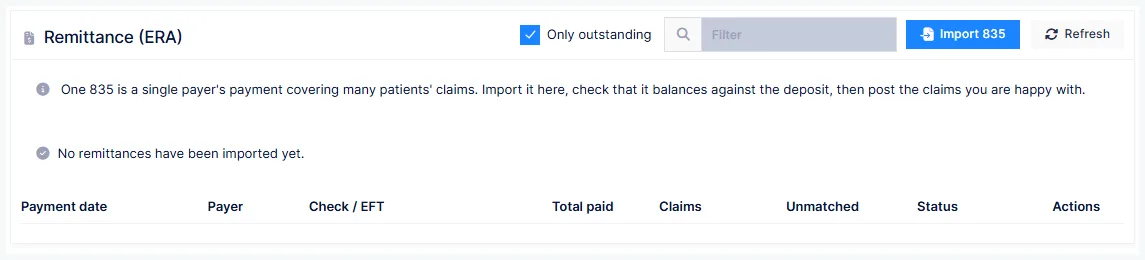
Only outstanding hides remittances that are fully posted. A warning triangle on a row means the file does not balance; a red badge means some claims are unmatched.
Importing
Import 835 and choose the file. ChiroPad reads it, refuses a file it has already imported (naming the original and when it arrived), and matches every claim before showing you anything.
An out-of-balance file cannot be posted
The payer states a payment total; the claims and provider-level adjustments in the file have to account for it exactly. If they don't, the post buttons stay disabled. That check has caught real arithmetic errors in payer files — it is not a formality.
How matching works
The payer echoes back the control numbers ChiroPad put on the claim and on each service line. Where those are present, the match is exact and needs no review. Where a claim went out before those identifiers were in use, ChiroPad falls back to the chart number plus the amounts, dates and procedures, and marks the result probable.
Probable is not certain — read the name
Chart numbers are short and not unique across practices. ChiroPad compares the patient surname the payer sent against yours, and flags a disagreement with a warning triangle. A probable match whose surname doesn't agree is offered as ambiguous, with the candidate claims listed, and you link it by hand.
An unmatched claim has no checkbox and says why. Nothing is ever posted on a guess.
Reading a remittance
Open a row to see the balance banner, the payment and adjustment totals, any provider-level adjustments, and the claims grid. Each claim expands to its service lines, showing the procedure and modifier, what was billed, allowed and paid, and each adjustment with its group and reason code — a deductible and a coinsurance on the same line appear as two entries, not one.
Badges tell you what the payer did:
| Badge | Meaning |
|---|---|
| Denied | The claim was not paid |
| Crossed over to … | The payer has already forwarded it to the secondary carrier — do not bill the secondary again |
| Reversal | The payer is taking back an earlier payment; amounts are negative |
| Posted | Already on the ledger |
Posting
Tick the claims you want and post. ChiroPad asks you to confirm — this moves money and cannot be undone from this screen — then writes the insurance payment, the amount transferred to the patient, and the write-off to each patient's ledger, remarked with the payer, cheque number and date. The claim flips to Posted and its checkbox disappears, so it cannot be posted twice.
Whether it posts globally or line by line follows your practice's posting method.
Reversals are refused, deliberately
A reversal carries negative amounts and undoes a payment you already posted. ChiroPad will not post it unattended; it tells you why and leaves it to you to handle on Post Insurance, where you can see the original.
Setting aside, linking, and deleting
- Set aside a claim with a reason when you don't want to act on it now
- Link an ambiguous claim to the right one by hand
- Discard a remittance you don't intend to work
- Delete removes the remittance record and everything under it
Deleting does not reverse posting
If claims from a remittance were already posted, the payments stay on the ledgers — only the record of where they came from goes. ChiroPad asks a second, differently worded confirmation naming the posted count before it lets you do that.